After revising photo upload limits to 100 next thing everyone wanted is a way to manage photos nicely! Orkut answered your call and now you can group your photos into different albums like my vacation album, new year party pics, birthday snaps, …
So when you click photos link now you will see following…

Just choose a title and description, your album will be ready. Next you will be taken to screen where you can upload pics into it! Uploading is the same old process. I was expecting a java applet like facebook provides.
Final album will look like this…
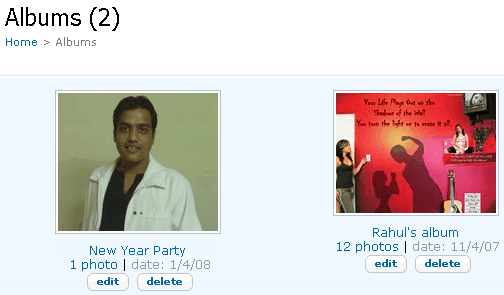
After creating a album things you can customize anytime are
- Album cover
- Name of album i.e. title
- Album description
- Of course photos inside album!
One feature orkut should have given is to move photos between album. As of now if you have uploaded lots of photos on orkut on different topics, you can not move them just into different albums. You have to download them first to hard drive, then upload them again different album!
Anyway something nice from orkut after their scrapbook and album hacks!
Related: Official Orkut Blog Post
6 Comments
Uploading Photos and Videos to MySpace
Uploading photos to your MySpace account is fairly simple. First you must log into your account and then click on the links that says, “Add/edit photos.” You then receive a warning stating that photos which include nudity, violent or offensive materials or copyrighted images are not permitted. You can then browse through your hard drive to find the desired photo. Photos uploaded to MySpace must be .gif or .jpg format and must be smaller than 600k. Once you find an appropriate photo, click upload and the photo will be added to your account. Once a photo is added you can create a caption for this photo.
@zhanoo
On Orkut also process is almost similar. Except that warning message don’t pop-up. So its little bit easier than myspace I guess! 🙂
buddy where is orkut’s add bar can tou tell me?
@Anurag
Orkut Address Bar is in top of ur browser. It is a place in ur browser, where you type orkut.com
how can i inform about my album which i uplaoded in orkut to my friend through email