One of the oldest firefox extension I am using from long time is Google’s browser sync. If you access internet from multiple location like home, college, office, etc, you can install this firefox extension at all places.
Once installed it keeps synchronizing your firefox bookmarks, history, saved passwords, cookies & session (i.e. tabs & windows).
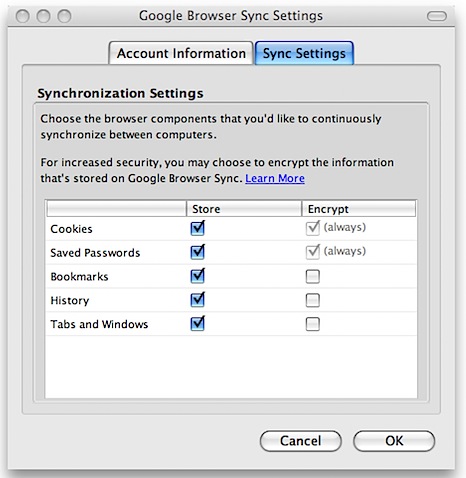
Do not worry much about security. The extension itself is protected by your Google account login and password plus a 4-digit PIN. Also sensitive data like cookies and password are by default encrypted.
The extension is free as like most Google services. If you have large number of bookmarks you may notice slight delay at first synchronization, but after that it works like a charm! 🙂
Additionally, if you have a dual-boot machine with any OS combination you can use this extension to sync firefox in every OS. Although on dual-boot machine there is slightly geekish way to do this which also sync installed add-ons, greasemonkey scripts and anything else which this extension skips.
Links: Google Browser Sync | Download Firefox | How to install firefox extension?
Related: Geekish (and faster) way to synchronize firefox in dual-boot environment
7 Comments
I will have to give this ext a test drive. I really need something like this.
Its a very nice addon. But till now, I did not face any such circumstances that I access internet from different access points… I look for it when needed… Thanks for the info.
This extension wont be useful for me, as in college the comp i will be using is not the same every time. But I have tried portable firefox, which is cool n you can take it in pen drive with you. And that will work even when firefox is not installed on the computer..
Sorry all for late reply… 🙁
@Dean
I am sure, you will like it… 🙂
@Pavan
Its always good to know about possibilities anyway. All I can say, lucky you. I wish all my online life to be centralized as much as possible… 🙂
@Sameer
Thats a good approach either… 🙂
I posted about firefox and few other portable apps here